Next-Gen Monitoring

Smart
Solar Power Plant Management

Take control of your data. Real-time monitoring, advanced analytics and full control over plant performance with a modern, stunning interface.

0 System Uptime
7 Languages Supported
24/7 Technical Support
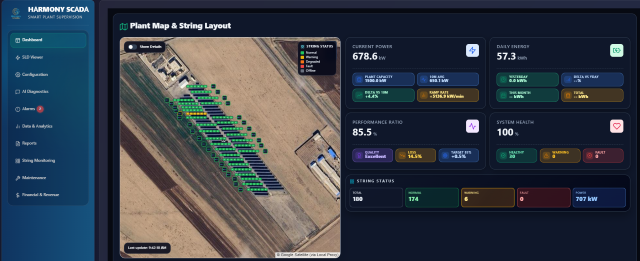
Harmony SCADA Dashboard - Solar plant monitoring
Live Production 4.2 MW
Weather Stable

All in One Platform

Comprehensive Solar SCADA Guide — Data, Reports and Standards

Real-Time Data

AC power, daily energy, performance ratio, inverter temperature, irradiance, string status and key performance indicators.

Workflow

Data capture from equipment, storage, analysis and live display with sub-second updates.

Protocol & Standards

Support for various inverters including SMA and other brands.

Various Reports

Production, financial, inverter comparison, meteorological and string-level reports.

Harmony SCADA Features

Complete solution for solar farm owners and managers

Monitoring dashboard

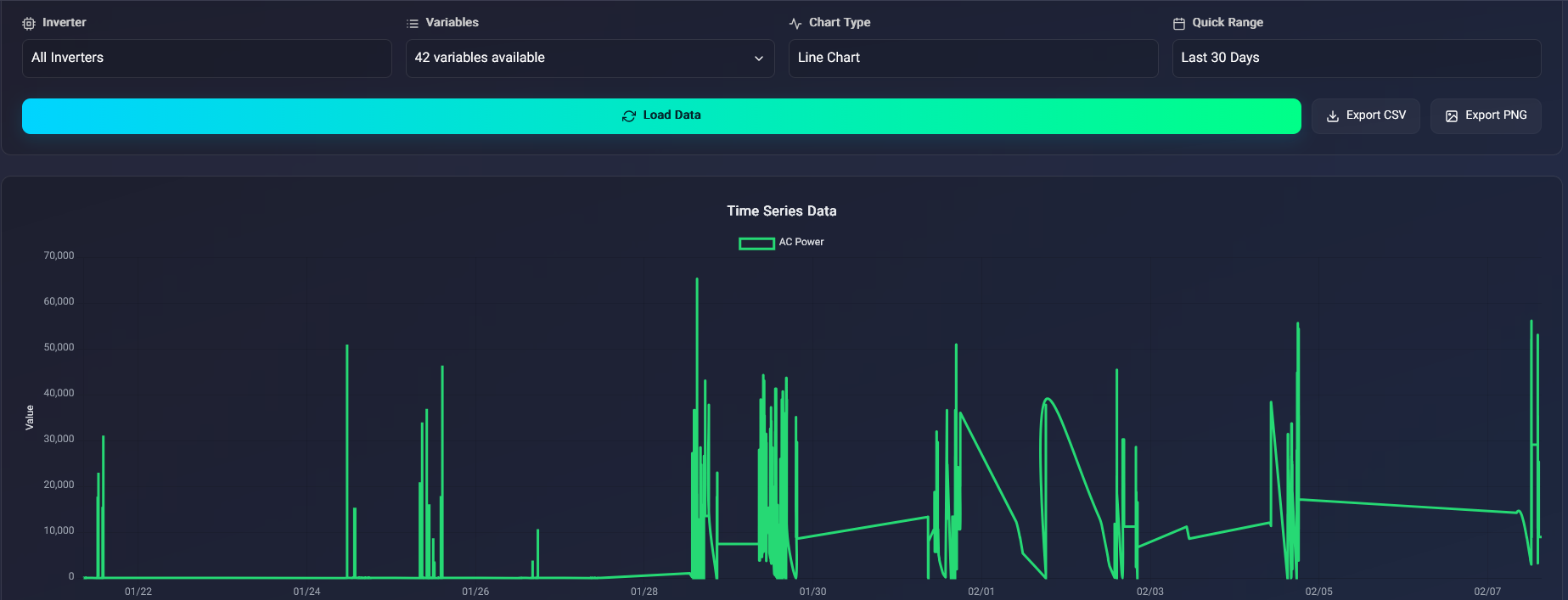
Real-Time Monitoring

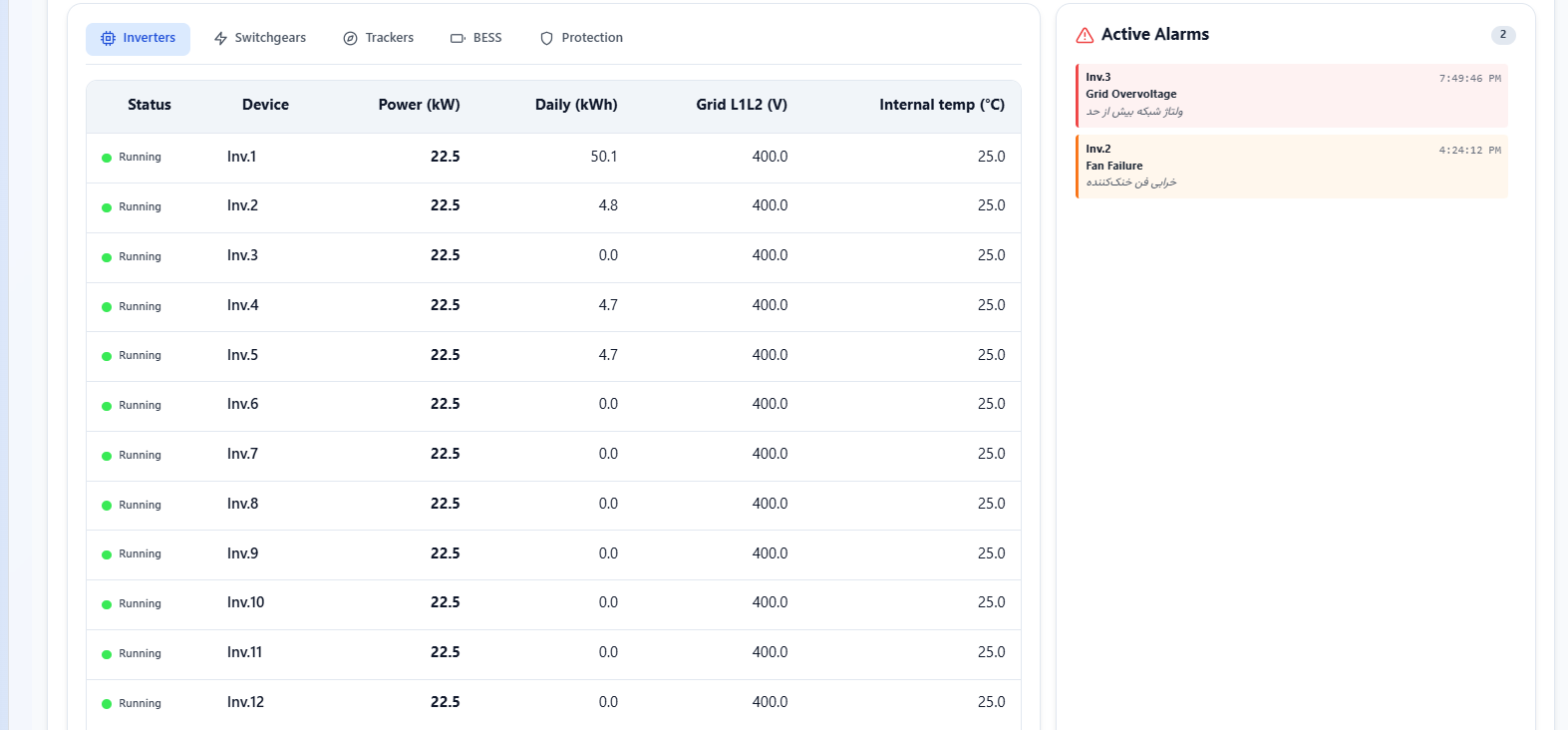
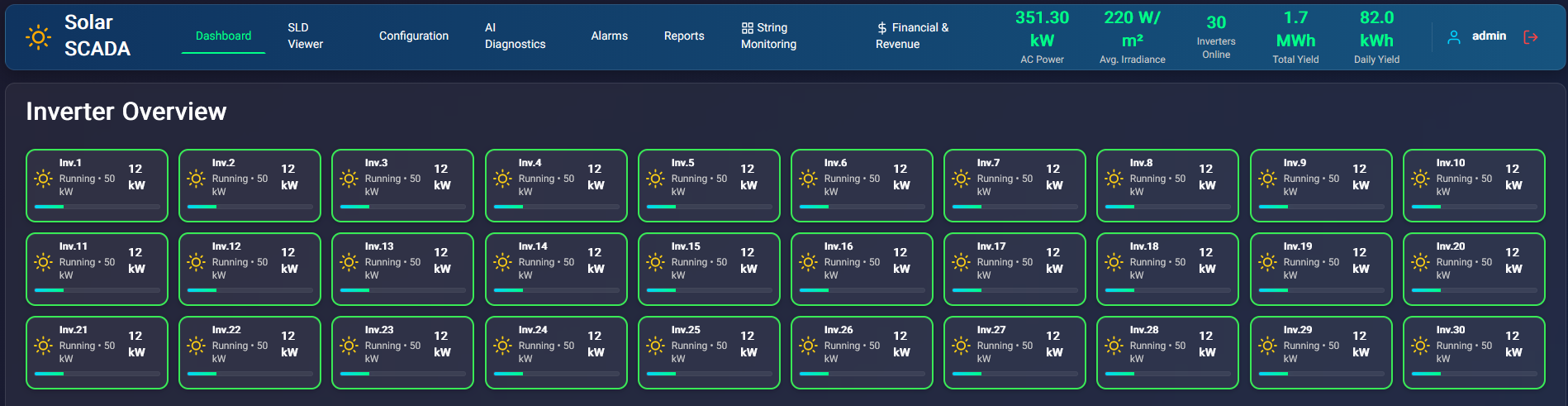
Live dashboard for production, energy, inverters, pyranometer and KPIs.

Click for guide
Reports

Excel & PDF Reports

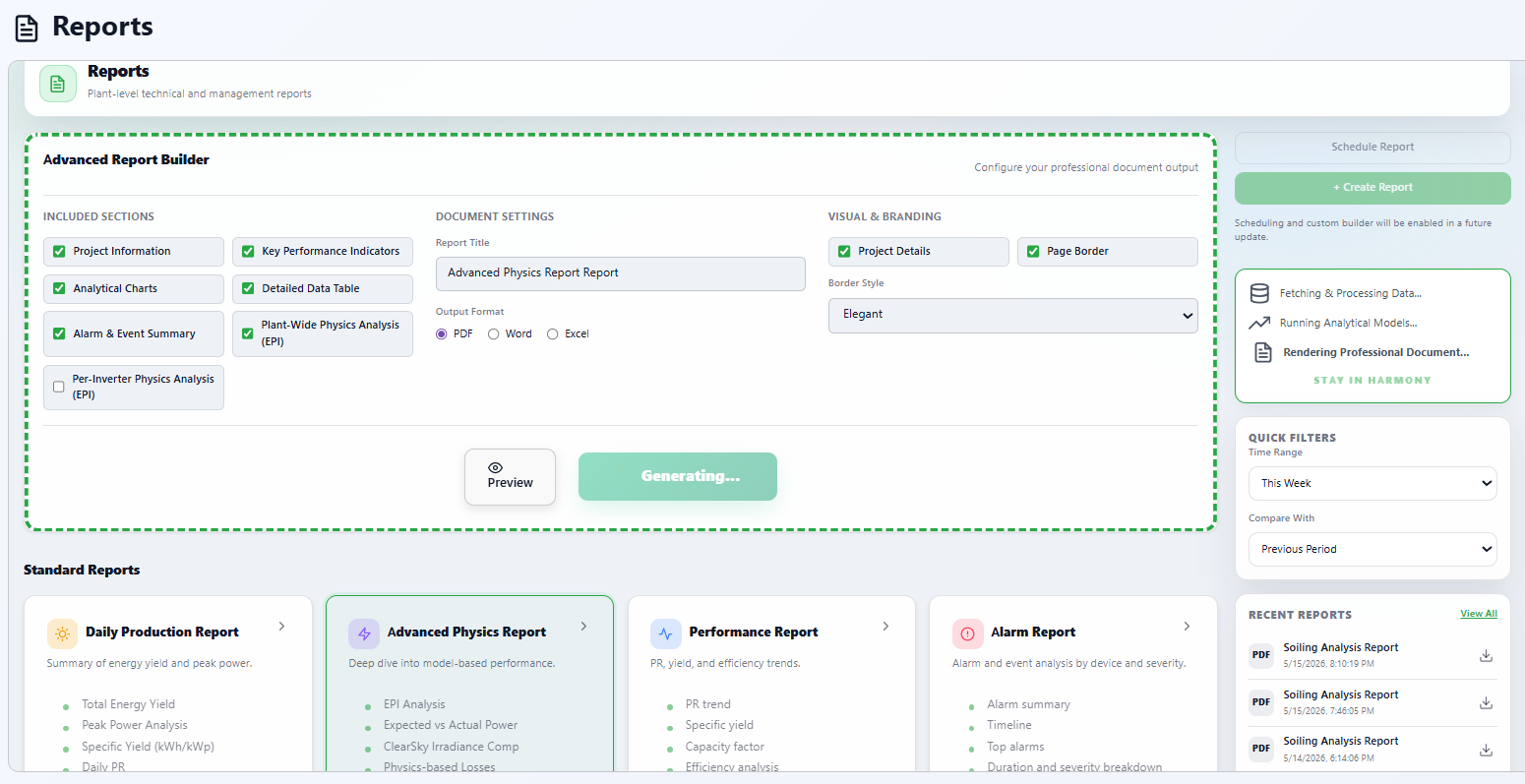
Output with custom time range for investors and authorities.

Click for guide
Financial analysis

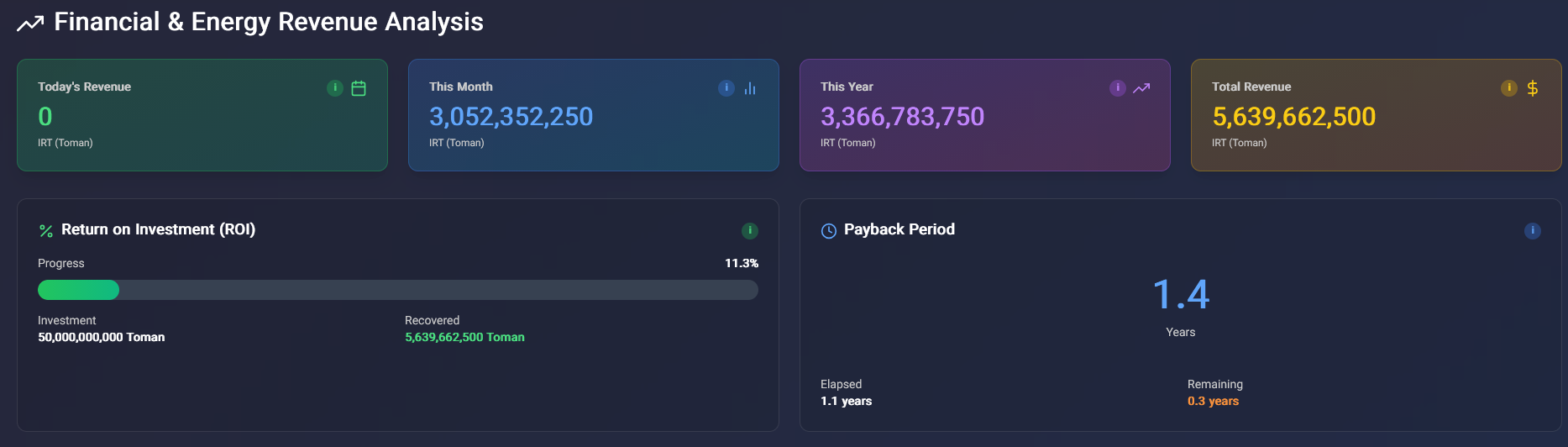
Financial Analysis

Revenue, monthly comparison and per-inverter performance breakdown.

Click for guide
Alarms

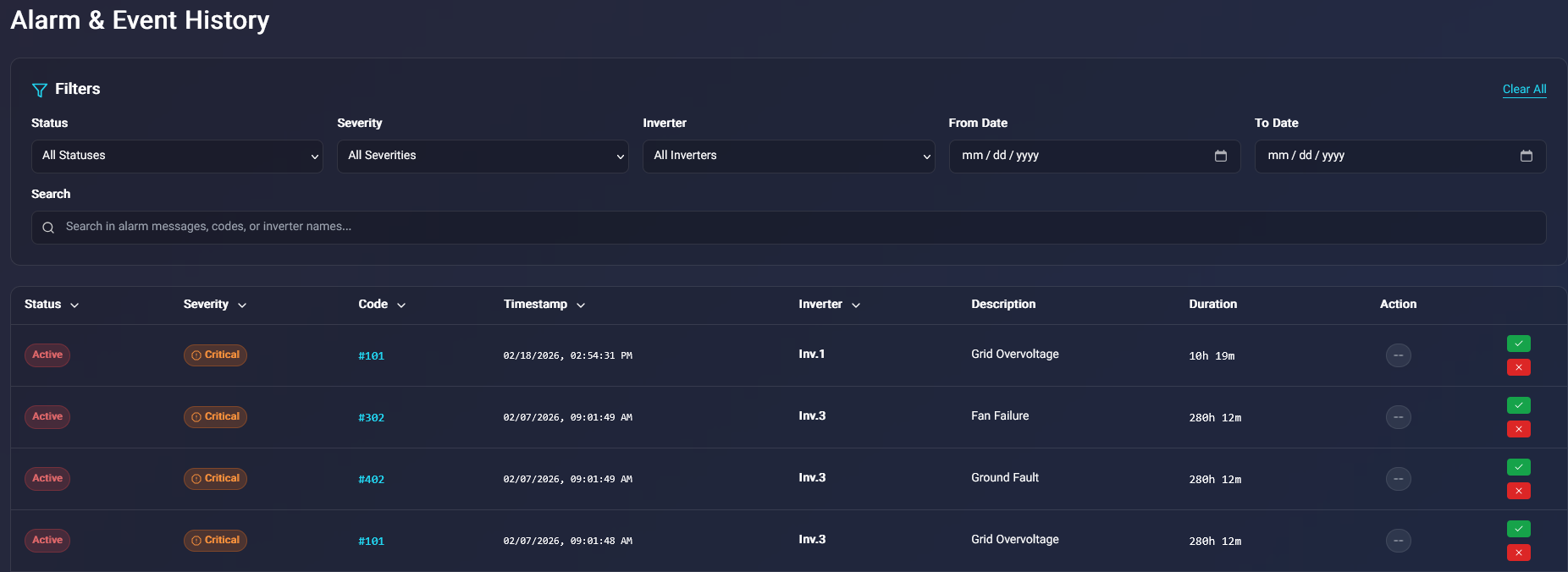
Smart Alarms

Instant notification of faults via SMS and email.

Click for guide
String monitoring

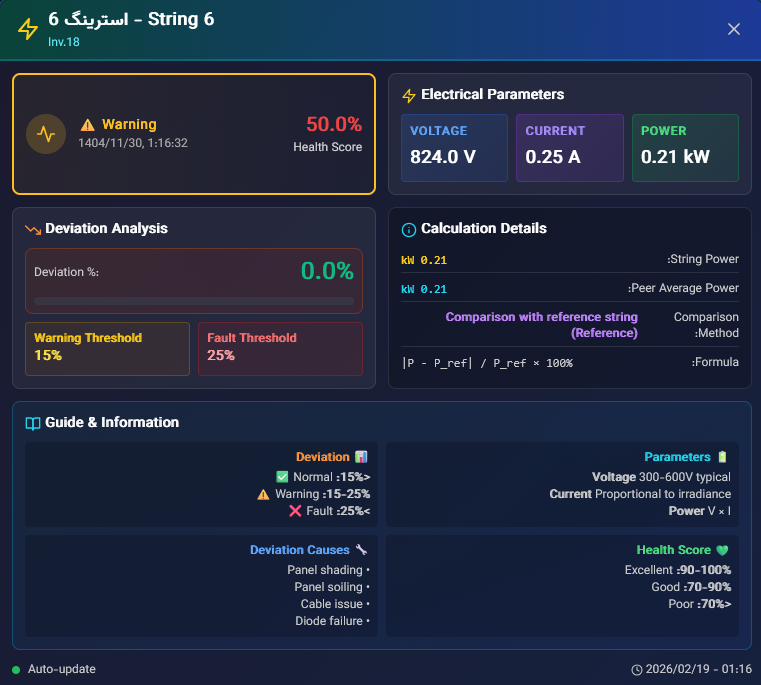
String Monitoring

Current and voltage analysis with peer-to-peer comparison.

Click for guide
Site map

Site Map

Inverter and zone placement, offline support.

Click for guide
SLD design

SLD Designer

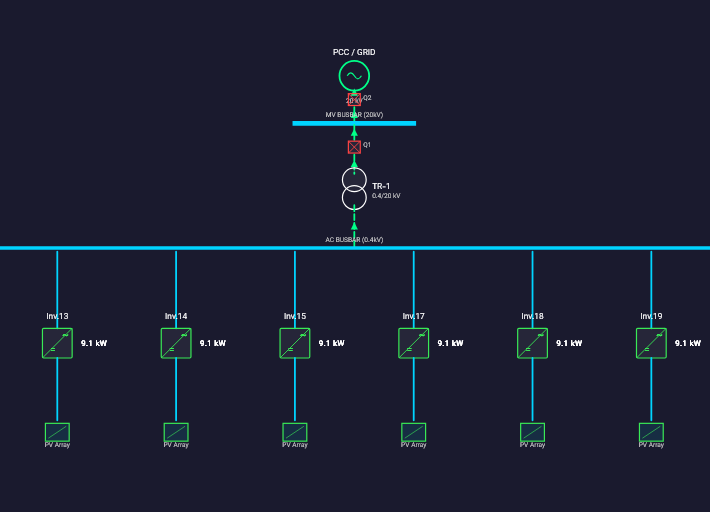
Professional single-line diagram and equipment placement.

Click for guide
Modbus

Modbus TCP/RTU

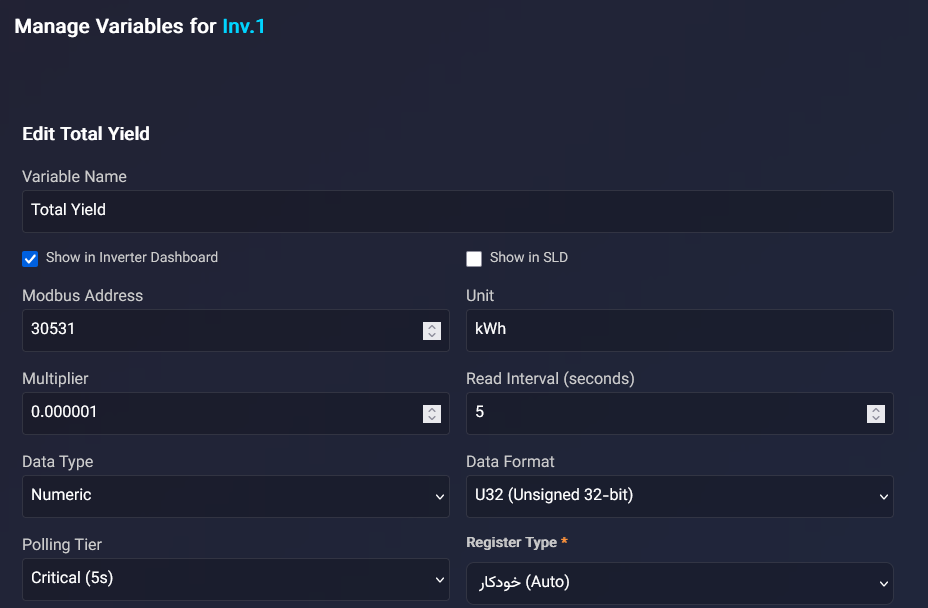
Register read/write, Tier-based Polling and remote control.

Click for guide
Request management

Smart Request Management

Tier-based control, prioritization for speed and reliability.

Click for guide
Weather

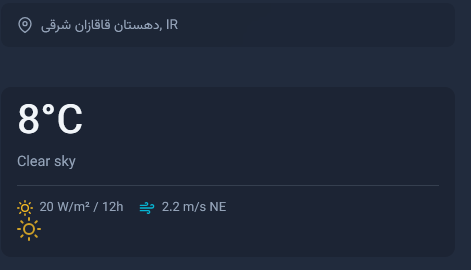
Meteorology

5-day forecast and pyranometer data.

Click for guide
Switchgear

Switchgear & Substation Control

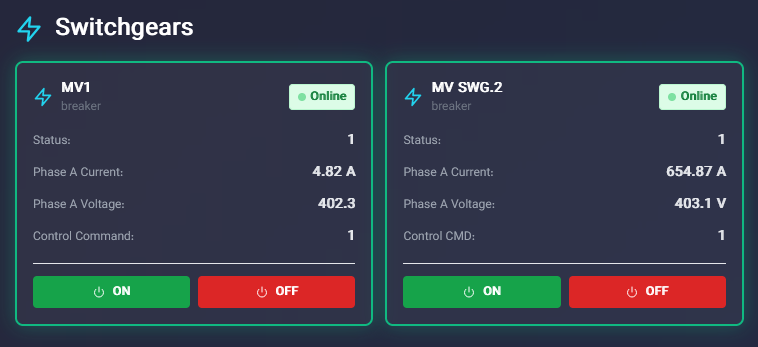
Status display and open/close control.

Click for guide
AI assistant

AI Assistant

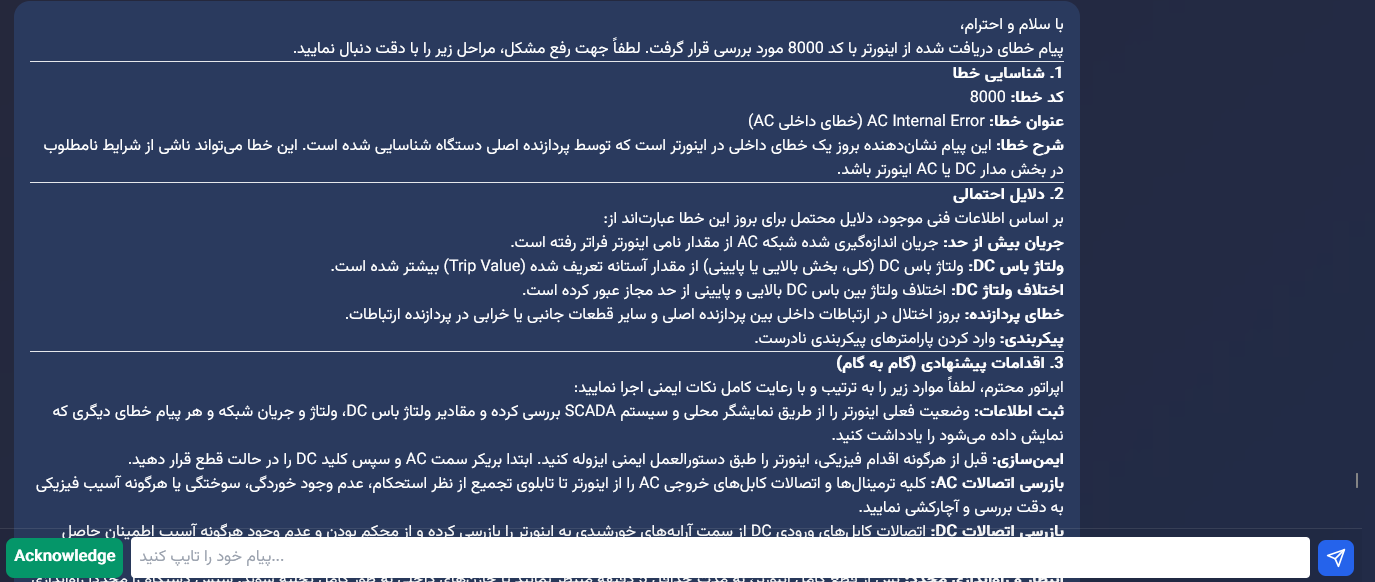
Automatic fault detection, chat assistant and knowledge base.

Click for guide
Multilingual

Multilingual

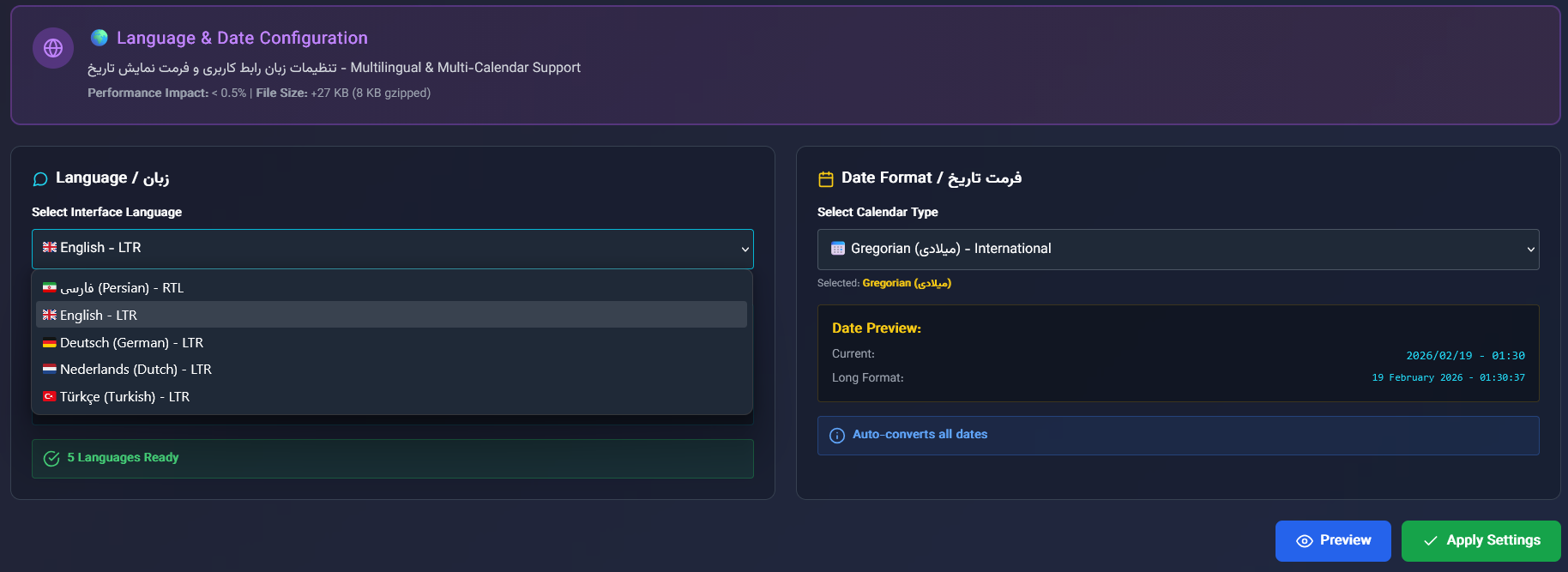
Persian, English, German, Dutch, Turkish, Arabic and Chinese.

Click for guide
Web HTML5

Web-Based & HTML5

Web interface — no client install, access from any device.

Click for guide
Custom features

Custom Features

BESS, tracker, satellite data, CMMS and grid protocols (upon request).

Click for guide

Detailed feature guides

Real-Time Monitoring

The main Harmony SCADA dashboard displays all vital plant data with live updates and sub-second resolution.

What data is shown?

  • AC and DC power per inverter
  • Daily and cumulative energy
  • Inverter status and temperature
  • Pyranometer data (irradiance, temperature)
  • Key Performance Indicators (KPIs) with custom definitions
  • PR (Performance Ratio) calculation per IEC 61724

How to use

After logging in, you see the plant overview at a glance. Click any inverter for more details. Data updates with sub-second resolution.

Excel & PDF Reports

Production, financial and analytical reports with custom time ranges. Report types: Production, Financial, Alarms, Inverter comparison, String and pyranometer. Output: Excel or PDF with optional automatic email delivery.

Modbus TCP/RTU & SunSpec

Connect to inverters via standard Modbus and SunSpec protocols. Features: variable definition, auto polling, manual read/write, remote control. Supports SMA and other Modbus/SunSpec-compatible inverters.

Professional SLD Designer

Single Line Diagram design with IEC 60617 symbols, smart connections, gauges and live charts. Drag & drop, multi-sheet support. Symbols link to inverters for real-time data display.

Web-Based & HTML5

Harmony SCADA is built on HTML5 web technology. No client install, centralized updates, Canvas graphics for SLD and charts, WebSocket for real-time data. Same interface on mobile, tablet and desktop.

Financial Analysis

Monitor revenue, costs and return on investment of the solar plant.

Features

  • Revenue calculation from tariff and energy produced
  • Monthly and yearly performance comparison
  • ROI and payback analysis
  • Revenue breakdown per inverter
  • CO2 savings and carbon credit

Settings

Electricity price, system cost, commissioning date and other parameters are configurable in dashboard settings.

Smart Alarms

Instant notification of faults and important plant events.

Notification channels

  • Dashboard alerts with color and icon
  • SMS
  • Email
  • Webhook for external systems

Alarm types

Alarms based on inverter fault codes, status codes, and user-defined conditions. Each code can have description, severity and suggested action.

Management

Acknowledge and clear alarms in bulk, view history.

String Monitoring

Analyze each string and identify underperforming strings.

Data per string

  • DC Current
  • DC Voltage
  • Power
  • Status (normal, fault, maintenance)

Peer-to-peer comparison

Strings of one inverter are compared to quickly find faulty or shaded strings.

String alerts

Alerts when current or voltage drops abnormally.

Site Map

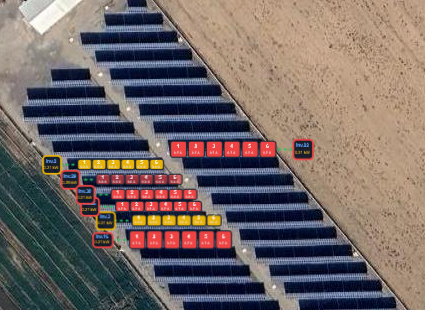
Display inverter and zone layout on satellite map.

Features

  • Satellite map with zoom and pan
  • Each inverter placed by X,Y coordinates
  • Define zones and group inverters
  • Offline mode with tile caching
  • Click inverter for live data

Settings

Site center coordinates, map download radius and layers configurable in project settings.

Smart Request Management

Full control over requests sent to inverters and equipment. Tier-based request management for optimal speed and reliability.

Tier-based System

Poll intervals for each tier are configurable in project settings.

  • Tier 1 (Critical): Vital variables like power and status — e.g. every 10 seconds
  • Tier 2 (Important): Energy, temperature, main parameters — e.g. every 15 seconds
  • Tier 3 (Diagnostic): Low-frequency data — e.g. every 30 seconds or more

Request Management

Request delay between reads, max requests per cycle, parallel workers for faster multi-inverter reading. Automatic prioritization for control commands.

Meteorology

Weather data and forecast for planning and analysis.

Pyranometer data

  • Irradiance (solar radiation)
  • Ambient and panel temperature
  • Wind and humidity (if sensor supported)

Forecast

5-day weather forecast for maintenance planning and production analysis.

Performance Analysis (IEC 61724)

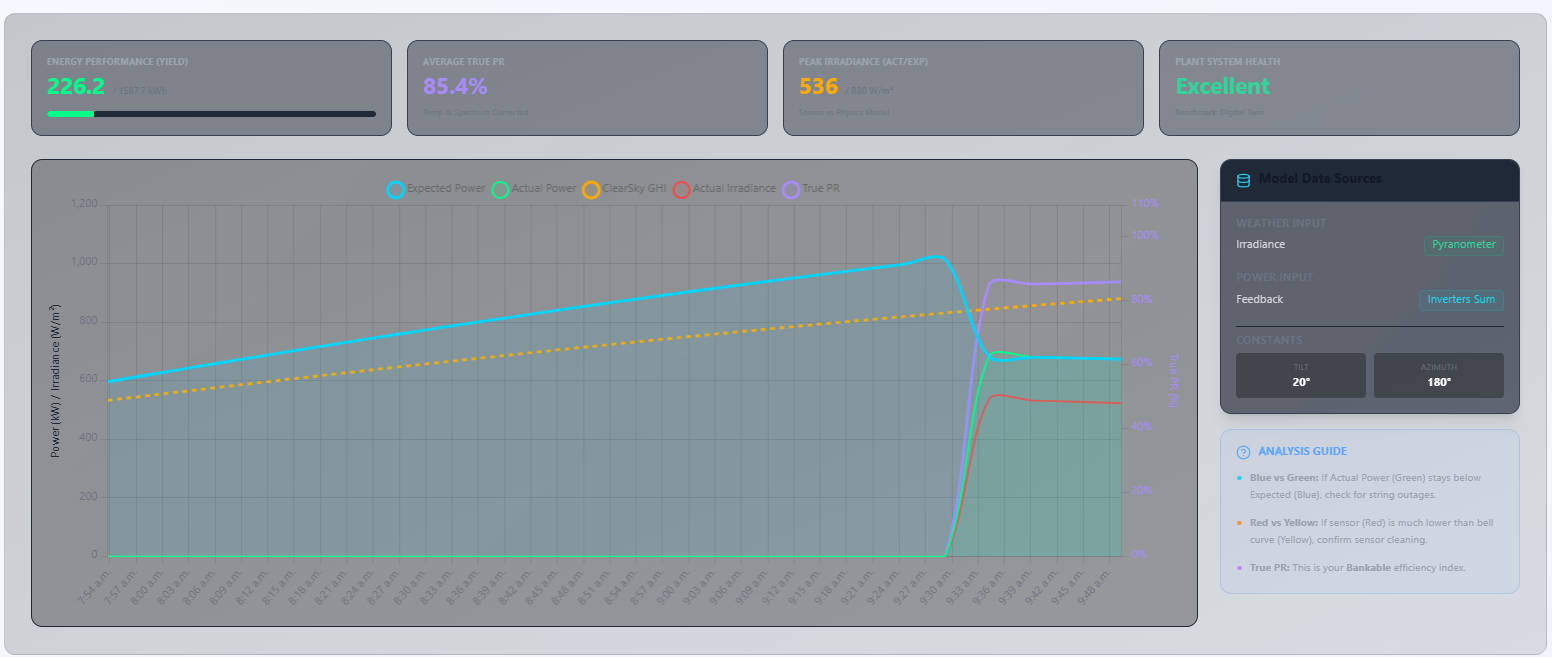
PR (Performance Ratio) calculation per IEC 61724 standard. Compare actual vs expected production from irradiance.

Switchgear & Substation Control

Display status and open/close control of switchgear and substation equipment.

Features

  • Status of each breaker or circuit
  • Send open/close command with user confirmation
  • Command history
  • Display in dashboard and SLD

Cybersecurity

Commands require authentication and two-step confirmation. All actions logged. Design aligned with IEC 62443 cybersecurity standard.

AI Assistant

AI-based assistant for fault diagnosis and answering questions.

Auto detection

  • On inverter fault, assistant activates automatically
  • Explains cause and suggested action
  • Troubleshooting guide by fault code

Chat

Ask any question about the plant, faults or performance and get text answers.

Knowledge base

Upload manuals and technical docs (PDF, Word, Excel) to improve assistant answers with your project content.

Mode

Works online with cloud or fully local without internet.

Multilingual

Harmony SCADA interface supports multiple languages.

Supported languages

  • Persian
  • English
  • German
  • Dutch
  • Turkish
  • Arabic
  • Chinese

Calendar

Gregorian and Jalali (Solar) calendar for dates and reports.

Changing language

Select language from settings or top bar. Selection is saved.

Custom Features (Upon Client Request)

Advanced features can be added to the project upon client request.

Available on Request

  • Energy storage (BESS): Monitoring and control of battery systems and hybrid solar+storage plants
  • Solar tracker: Support for solar trackers
  • Satellite irradiance data: For sites without pyranometer sensors
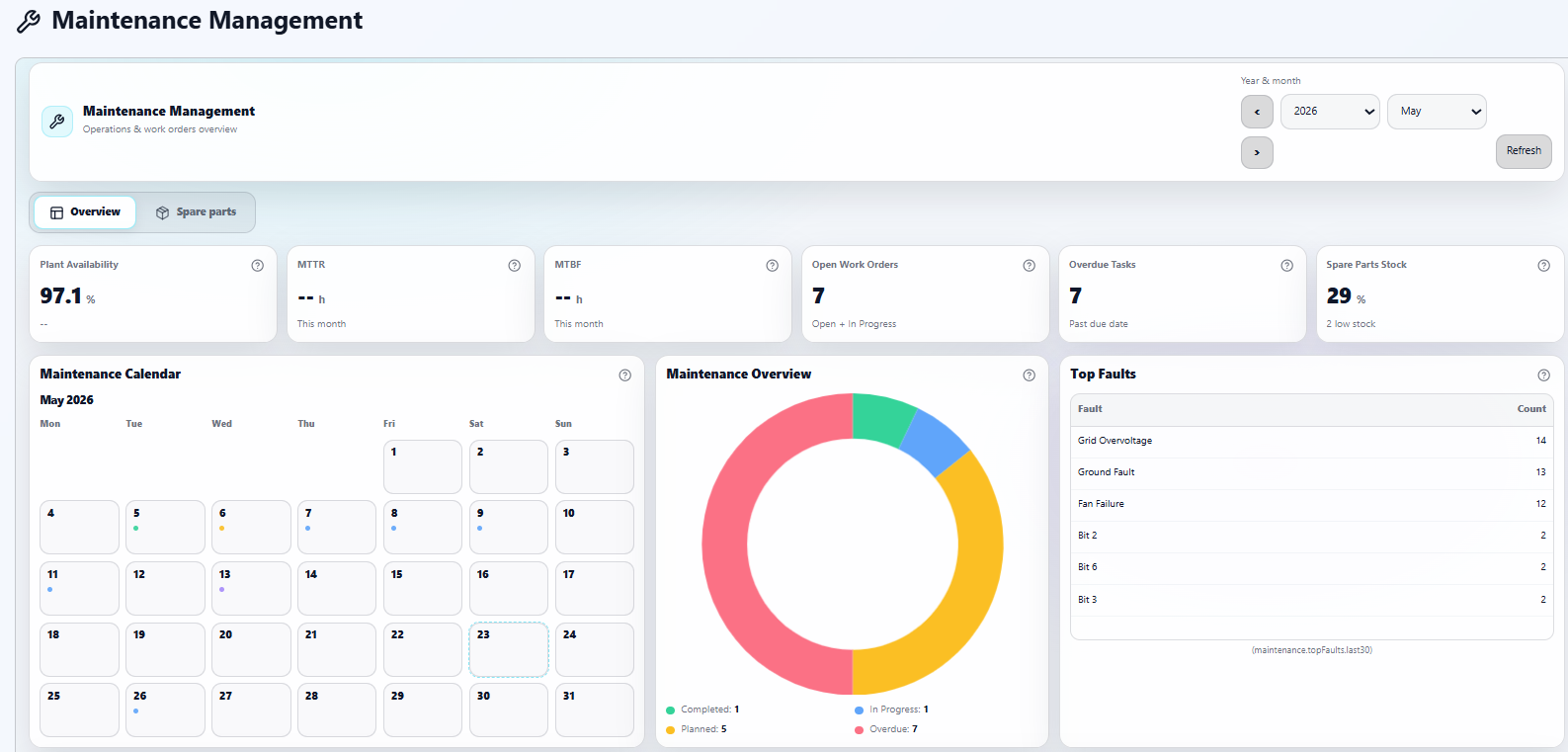
  • CMMS: Maintenance management and scheduling system
  • Grid protocols: IEC 60870-5-104, IEC 61850, DNP3 for grid connection and large plants

These capabilities can be implemented per project based on client needs.

Who Is It For?

Solution for all solar plant stakeholders

Plant Owner

Monitor production, revenue and performance without physical presence.

  • Daily and monthly reports
  • Revenue and ROI analysis

EPC Company

Manage multiple projects and deliver reports to clients.

  • Multi-site monitoring
  • Excel and PDF output

O&M Team

Quick fault identification and maintenance scheduling.

  • Instant fault alerts
  • AI assistant for diagnosis

Investor

Performance transparency and KPIs for decision-making.

  • Key indicator dashboard
  • Presentable reports

About Us

Design team, flexibility and AI assistant

Design & Development Team

Harmony SCADA is the product of a professional software team, process engineers and solar plant designers built with real solar farm needs in mind.

Flexibility

Every plant is unique. Harmony SCADA is designed for client-requested changes: custom KPIs, report settings, alarm config and dashboard customization.

AI Assistant

  • Automatic fault detection and guidance
  • Chat with assistant for plant questions
  • Knowledge base with document upload
  • Online or fully local without internet

Why Harmony SCADA?

Real-Time Data
Auto Reporting
Smart Alarms
Multilingual
No Installation

FAQ

Solar farms from small to large scale, with grid-connected inverters. Support for various inverter brands.

Yes. Production, financial and string reports with custom time range and format (Excel, PDF).

On fault occurrence, the assistant activates automatically and explains. You can also ask questions and upload project docs for more accurate answers.

Yes. Support team for setup, training and troubleshooting.

Request Information & Demo

Fill out the form below and our team will contact you.